Definitions
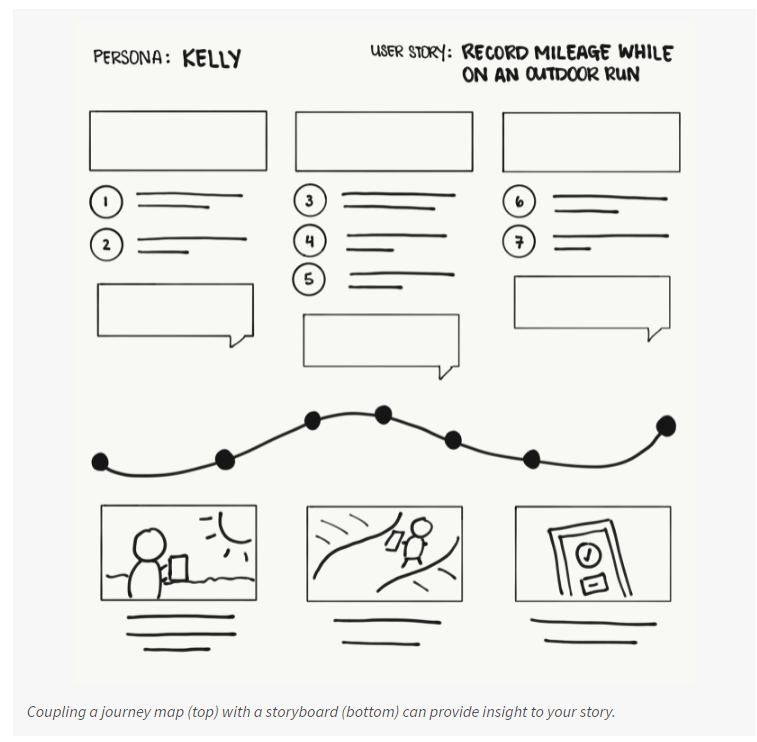
In UX design, a storyboard is a series of panels or frames that visually describes and explores a user’s experience with a product.
Telling a story through visuals is often more effective than using words. A real product might have many screens, but your storyboard should focus on just the most important parts of a user’s experience with a product.
google
As their name suggests, there’s a story that should be told through the panels of a storyboard. The four key elements of a storyboard are:
- Character: States the user in the storyboard.
- Scene: Gives designers a way to imagine the user’s environment.
- Plot: Describes the solution or benefit offered by the design.
- Narrative: Describes the problem the user is facing and how the design will solve this problem.
There are two common types of storyboards in UX design, both of which incorporate these four key elements:
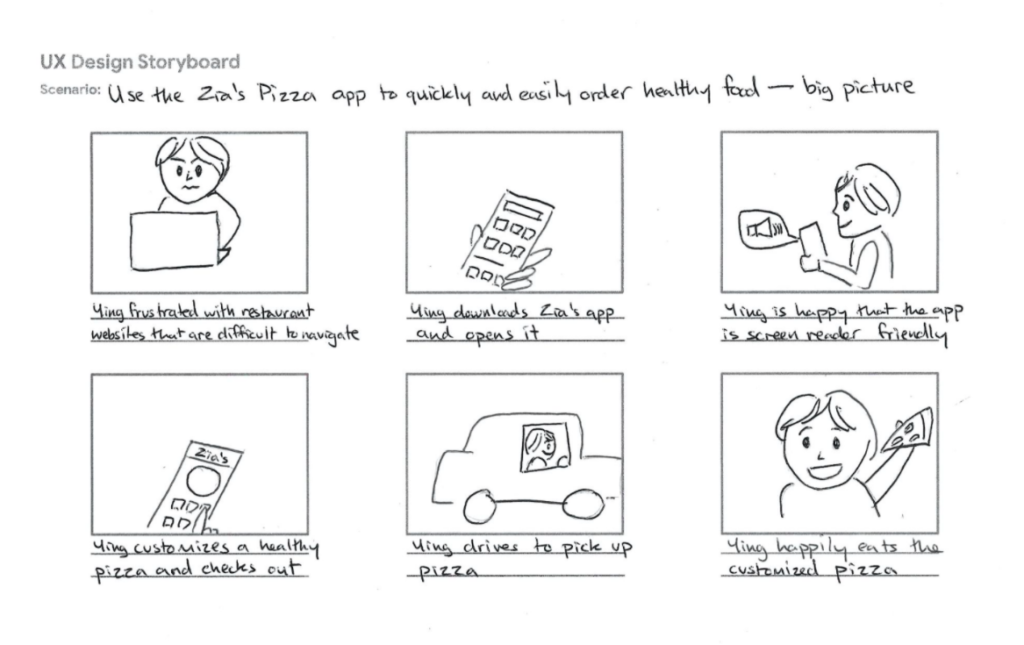
- Big picture storyboards focus on what the user needs, their context, and why the product will be useful to the user. Big picture storyboards are often used early in the design process when designers are trying to get stakeholders to support their ideas.
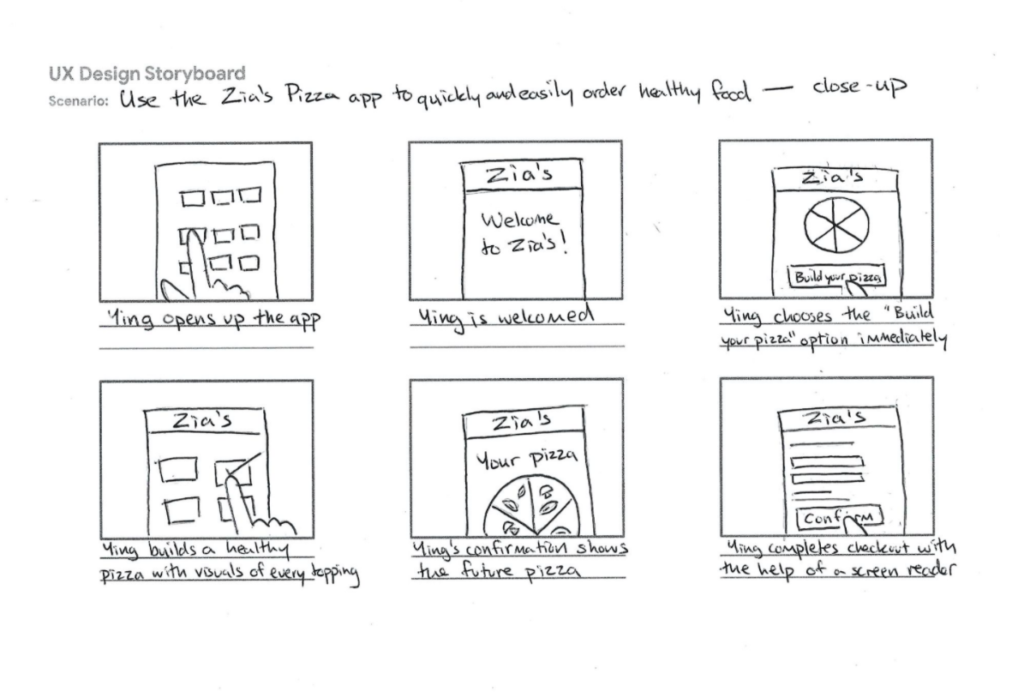
Close-up storyboards concentrate on the product and how it works. They’re best used in the middle to the end of the design process.
Examples
References
- https://www.smashingmagazine.com/2017/10/storyboarding-ux-design/
- https://www.nngroup.com/articles/storyboards-visualize-ideas/
- https://www.fastcompany.com/1672917/the-8-steps-to-creating-a-great-storyboard
Etc